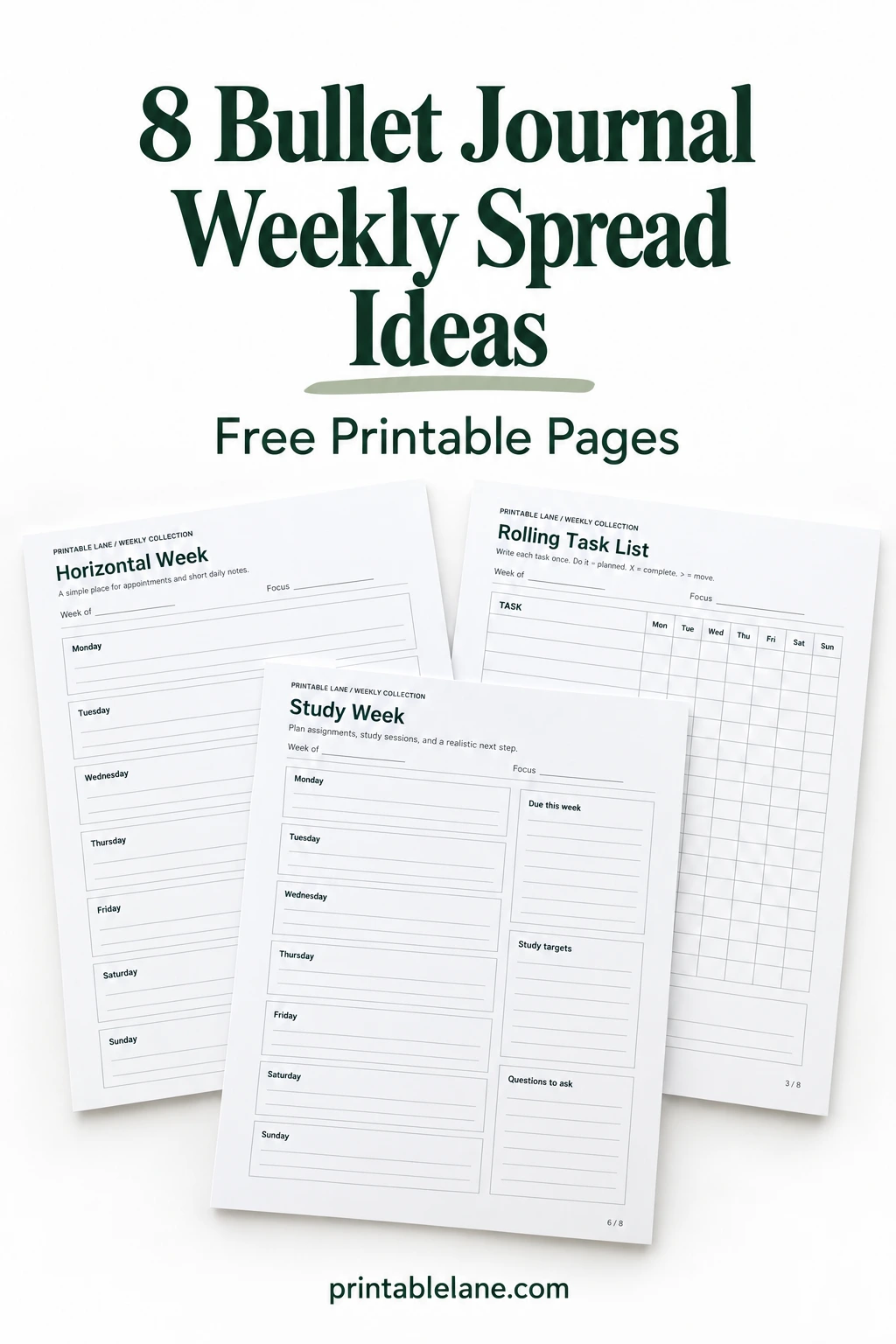
A useful bullet journal weekly spread gives the next seven days enough room without asking you to fill every corner. I’ve put together eight printable layouts for different kinds of weeks, from short appointment lists to study plans and tasks that do not have a fixed day.
The free PDF contains 8 pages, with one undated layout on each page. All start on Monday and include Sunday. These are single-sheet weekly organizers you can use in a binder or as references for drawing a notebook spread; they are not pre-sized inserts for a particular journal.
Print and set up your week
- Select a page. Use the PDF page number to print only the layout you need. Choose US Letter, 8.5 × 11 inches, in portrait orientation, and start with a single copy.
- Check scaling. Actual size keeps the original dimensions. If the print preview clips an edge, choose Fit, which adjusts the page to the printable area. These settings follow Adobe’s page sizing instructions. A4 users should also check Fit and preview the result.
- Match paper to your pen. Ordinary printer paper is a practical starting point for pencil or ballpoint. Try your marker on a spare sheet before printing several copies; paper and ink combinations vary. The layouts use dark text and pale rules, so check that the lines remain visible if you select grayscale or an ink-saving mode.
- Decide where it will live. A loose sheet needs no cutting. For a notebook, measure the available page space before reducing the print size or trimming blank edges. Check handwriting room after scaling; a smaller sheet also means smaller boxes.
Add dates beside the day names, then enter fixed commitments before flexible tasks. I would keep one main focus in the header rather than a list of competing priorities. Leave some unused space for changes instead of treating every blank line as work to invent.
Eight weekly layouts to choose from
Horizontal boxes for everyday notes

Seven horizontal boxes give every day the same amount of space, including the weekend. This is my starting choice for beginners or anyone who writes longer appointment names, because entries can run across the page instead of wrapping in a narrow column. Put a time at the beginning of scheduled entries so it stands out when you scan the list. For shared household plans, add initials before each person’s commitment.
Vertical columns for short entries

Short reminders fit naturally in these seven columns, while the lower notes box holds information that belongs to the whole week. Adults with only a few appointments a day can compare open days without turning pages. Keep each entry to a brief label, such as “dentist 2 PM,” and move supporting details into the notes area. Color coding can separate types of plans, but write a small key so the colors remain understandable later.
A rolling list for tasks without fixed dates

The rolling grid keeps a task on one row while its status changes across the week. It suits independent work, errands, and chores that can move between days without needing a fresh written list. Use the printed key consistently: a dot means planned, X means complete, and the arrow means move; place the new planning dot under the later day. Reserve “Carry forward” for unfinished items that still matter after Sunday, rather than automatically copying every open row.
Time blocks with hours you choose

Blank time labels let you define ten blocks around your actual schedule instead of following preset office hours. This page works for students, shift workers, or anyone whose appointments need a visible duration. Write time ranges down the left side, keeping those ranges consistent across all seven day columns; two adjacent cells can represent a longer commitment. The bottom strip is for flexible tasks, so an untimed errand does not appear to be an appointment.
Separate work and personal commitments

Work and personal boxes sit beside each other for every day, making it easier to notice when both sides are crowded. People balancing paid work with home responsibilities can reserve the left side for deadlines and the right for appointments or errands. Use the bottom prompt for one specific boundary, such as a finishing time, rather than another to-do list. On days off, an empty work box is useful information and does not need filling.
A study week with a question list

Assignments have different needs from ordinary reminders, so this layout adds three side sections for due dates, study targets, and questions. High school and college students can record a deadline once in “Due this week,” then divide preparation into smaller sessions in the daily boxes. Give each study target an observable endpoint, such as completing a problem set, instead of writing only a subject name. Save confusing topics in “Questions to ask” for the next class or office-hours visit.
Meals alongside the week’s plans

A main-meal column sits next to daily plans so a late appointment is visible while choosing dinner. Home cooks can use “Use first” for ingredients already on hand and “Prep ahead” for a small preparation job that belongs on another day. This sheet holds one main meal per day, not separate breakfast, lunch, and dinner menus. For those additional meals and a shopping list, use my weekly meal planner with grocery list.
More room for Saturday and Sunday

Larger Saturday and Sunday boxes give weekend projects, social plans, and errands more writing room than the weekday strips. This arrangement suits people whose busiest personal planning happens outside a regular weekday routine. Divide each weekend box into morning and afternoon with a small handwritten label if a long list becomes difficult to scan. Use “Ready for next week” for a concrete preparation step, such as packing a bag, so it stays distinct from Saturday’s and Sunday’s plans.
Keep the layout that earns its space
At the end of the week, look for the section you avoided or repeatedly ran out of room in. That is a useful reason to switch layouts. You can keep the same date and focus routine while changing the page underneath it; there is no need to use all eight designs in sequence.
Print copies for your own planning or your classroom. To share the collection with someone else, send this article’s address so they can get their own copy.
Setting up December spreads? These Christmas stickers printable sheets have 42 one-inch planner icons and 16 holiday to-do labels.