The month page is the spread you look at most, so its layout decides how useful the whole notebook feels. A bullet journal monthly spread can be a full calendar grid, a quiet list of dates or a page of memories, and the right one depends on whether your month is crowded with appointments or mostly about routines.
Below are 9 different ways to set up a month, each drawn as a separate undated dot grid page. You write in the month and dates, so each page fits any month of any year.
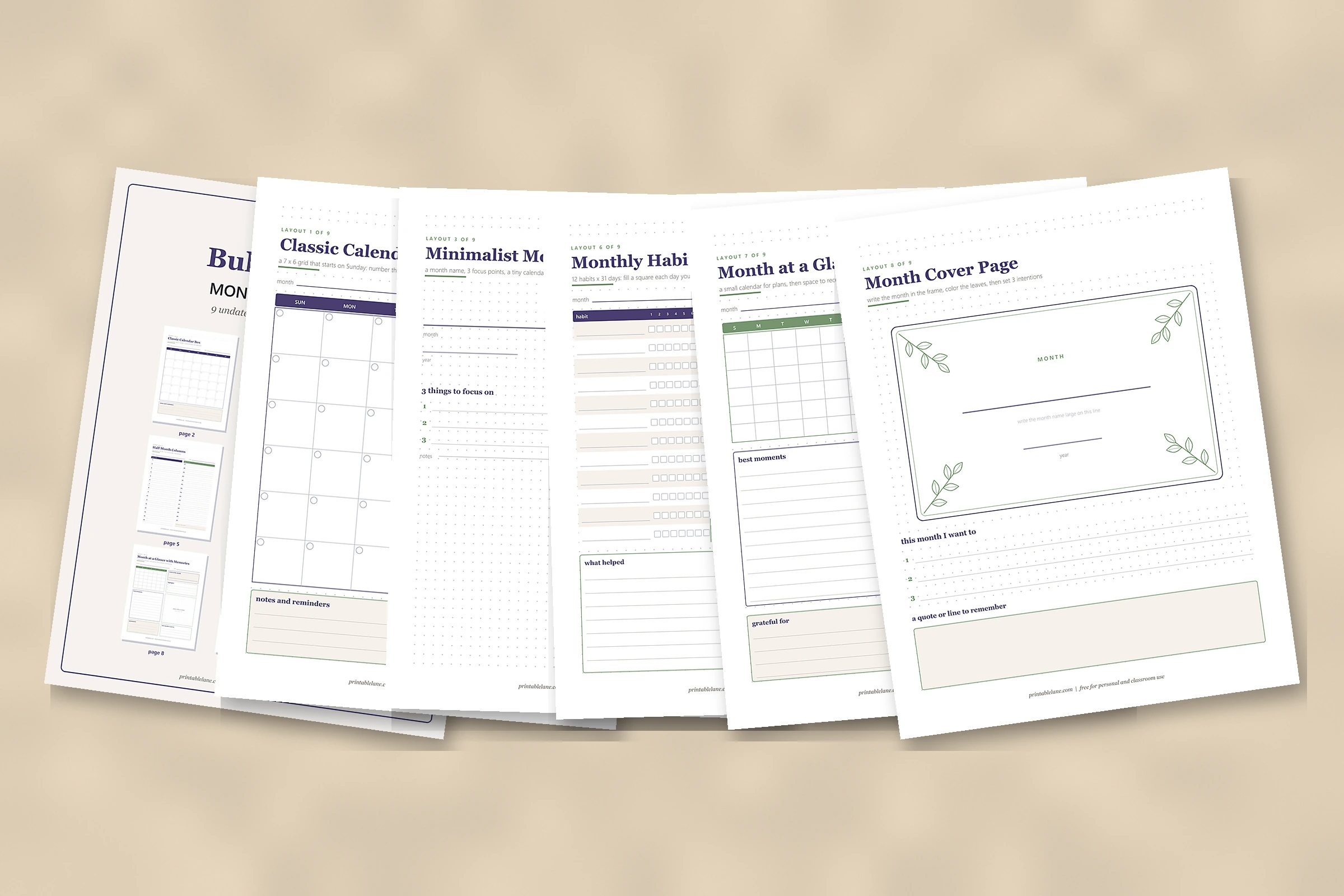
What’s in the PDF (10 pages)
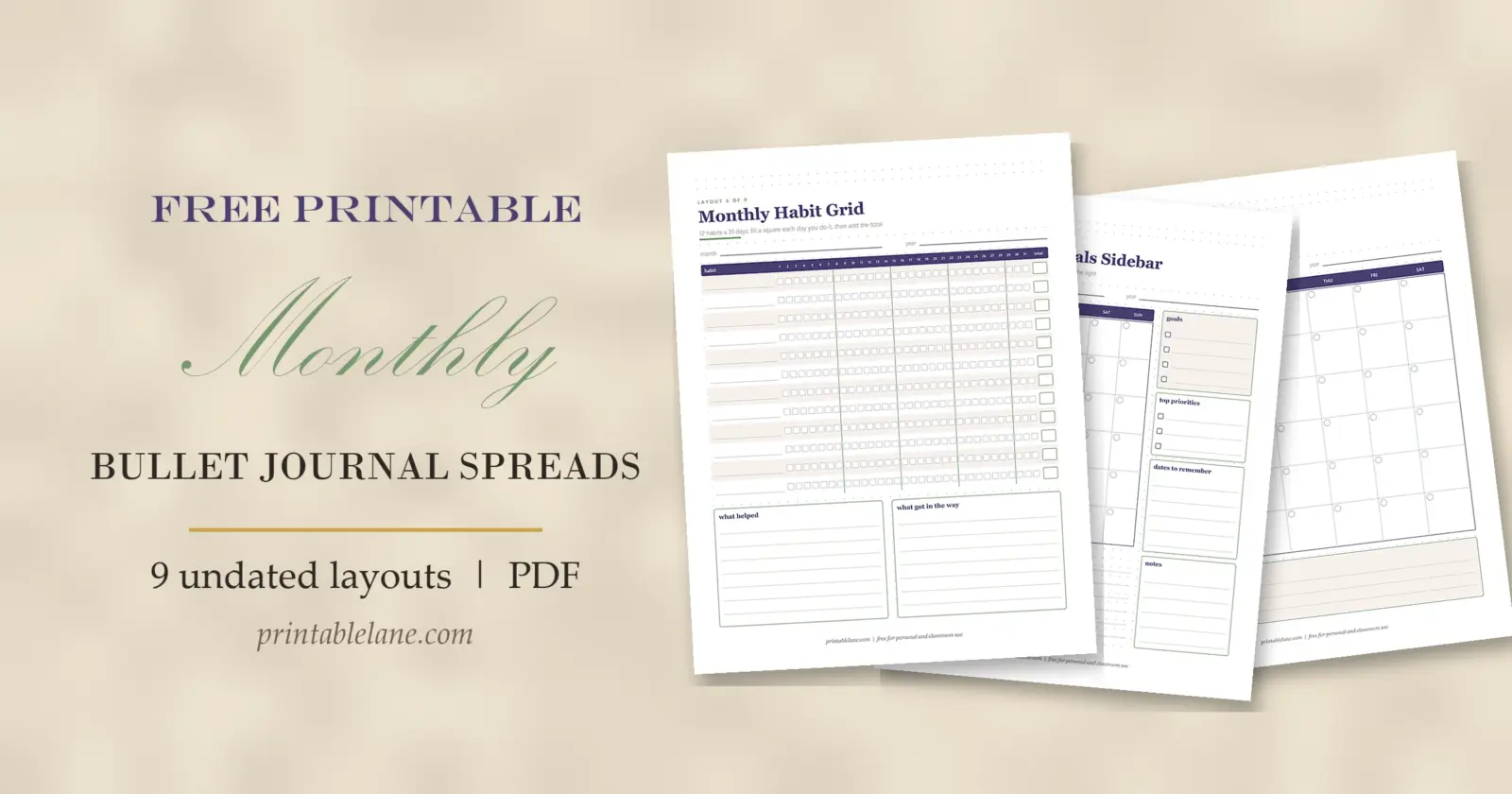
- Page 1: cover with thumbnails of all 9 layouts
- Page 2: Classic Calendar Box
- Page 3: Vertical Month List
- Page 4: Minimalist Month
- Page 5: Half-Month Columns
- Page 6: Calendar with Goals Sidebar
- Page 7: Monthly Habit Grid
- Page 8: Month at a Glance with Memories
- Page 9: Month Cover Page
- Page 10: 12-Month Planning Sheet
Every layout sits on a light 5 mm dot grid and has no printed date.
The 9 monthly spreads, page by page
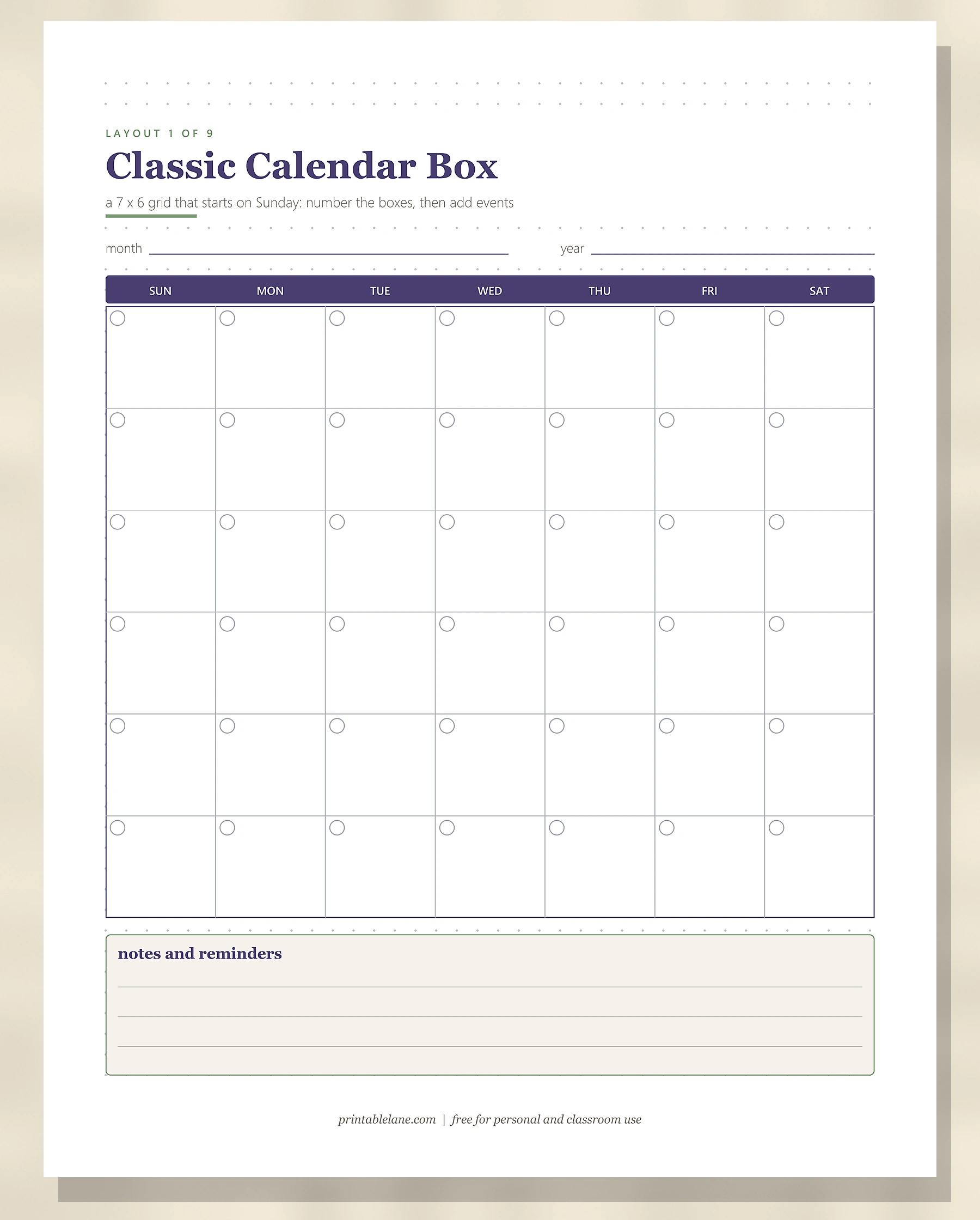
Classic Calendar Box
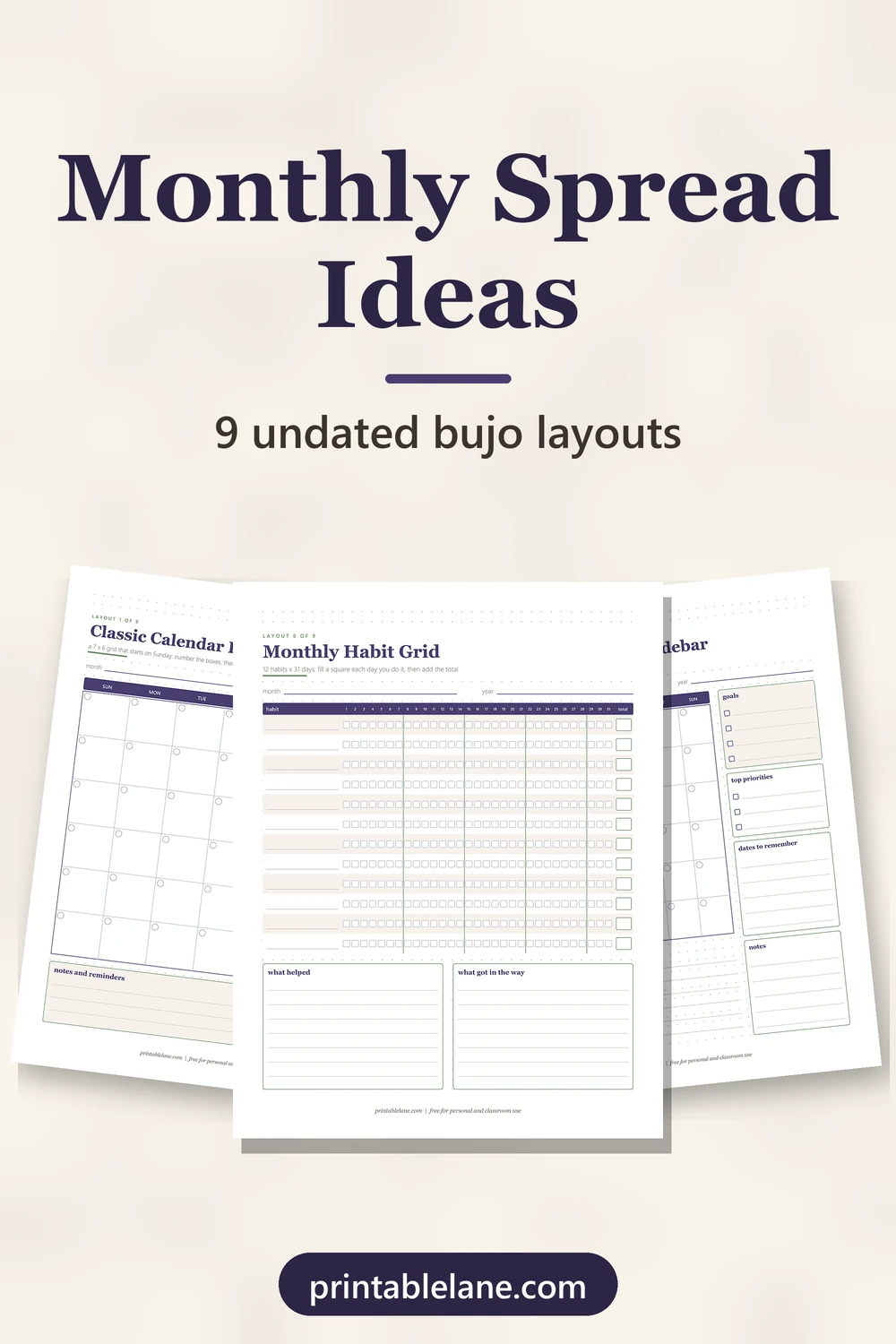
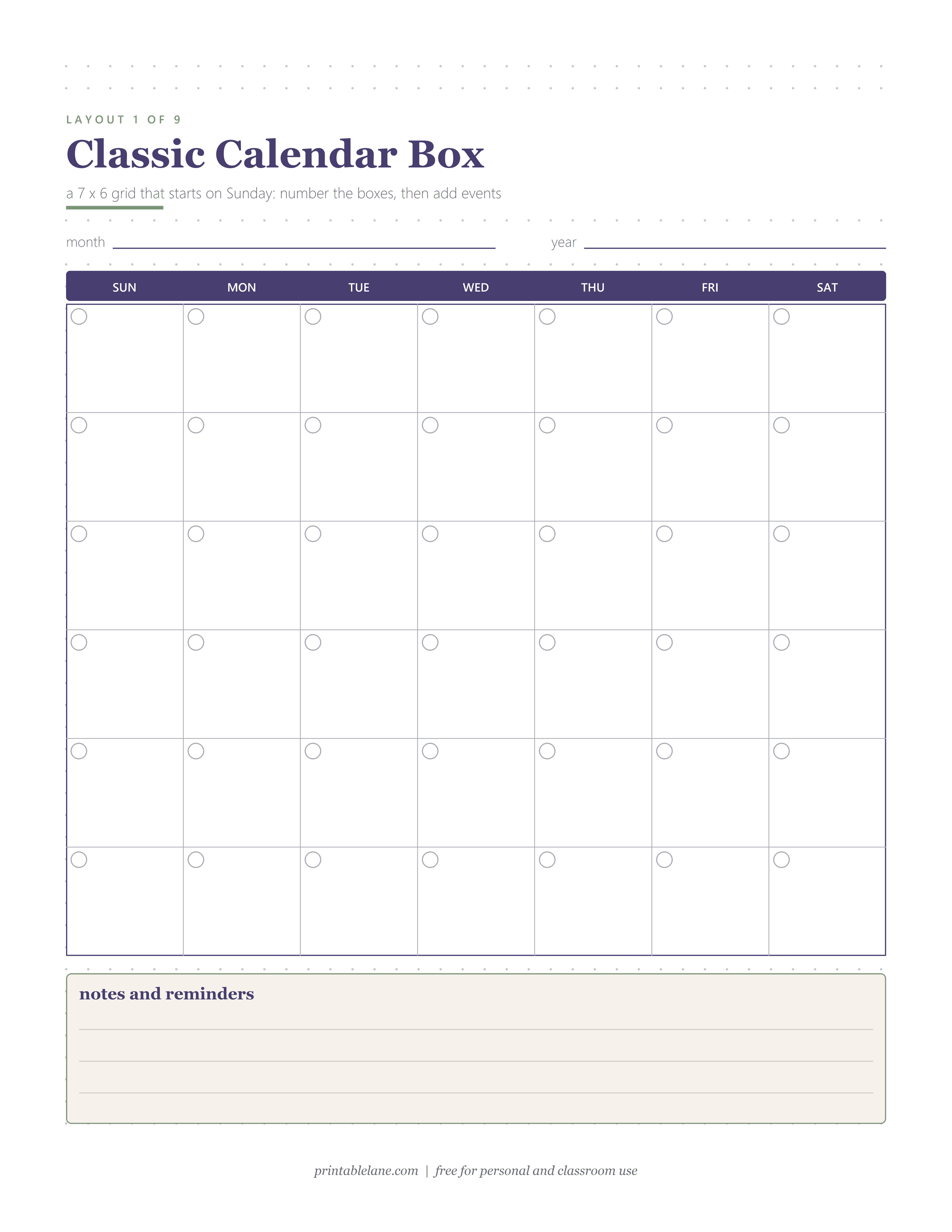
PDF page 2 has month and year lines, a header row from SUN to SAT and a grid of 42 boxes (7 columns, 6 rows). Each box has a small circle in its top left corner for the date number. A “notes and reminders” panel with 3 lines fills the bottom.
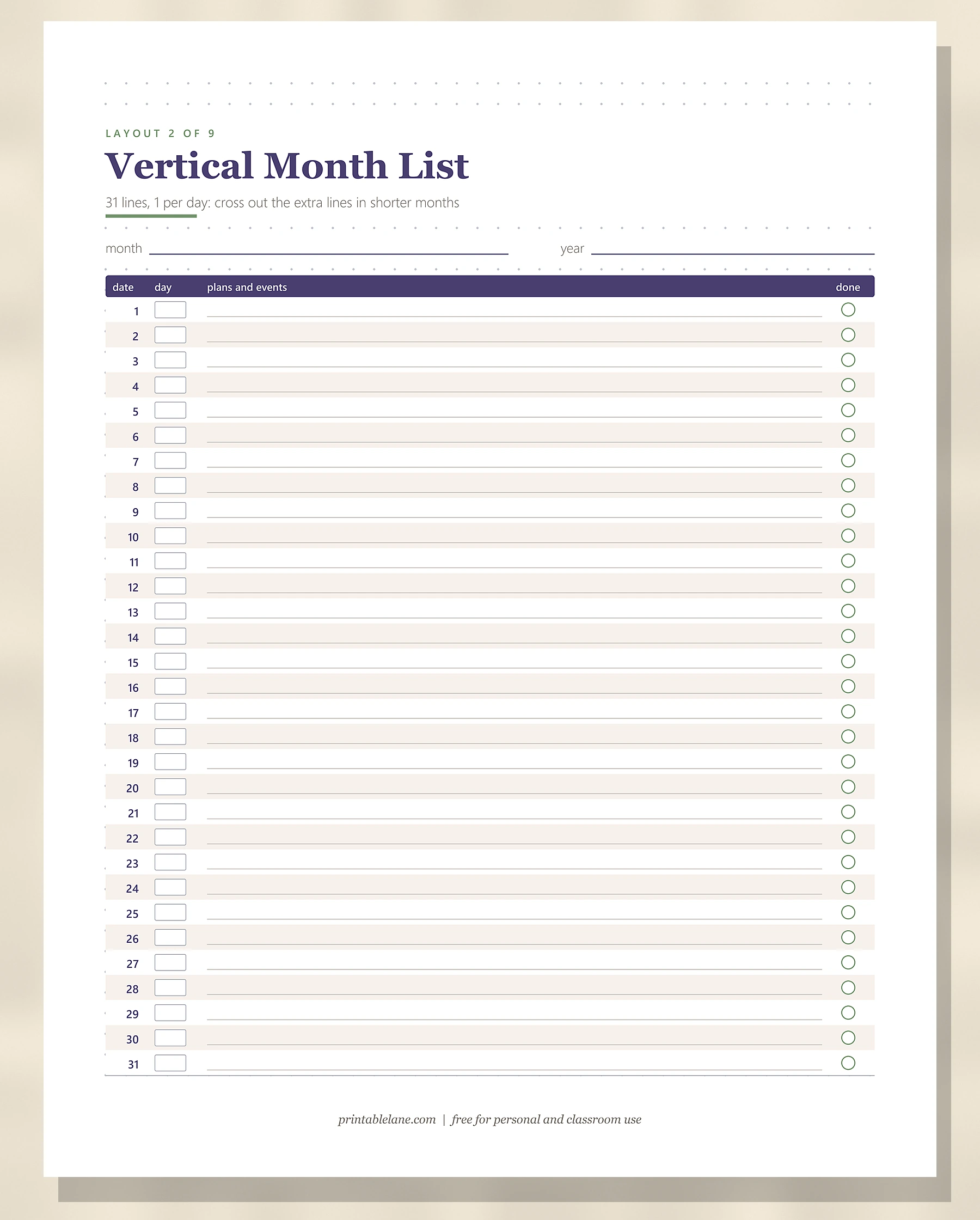
Vertical Month List
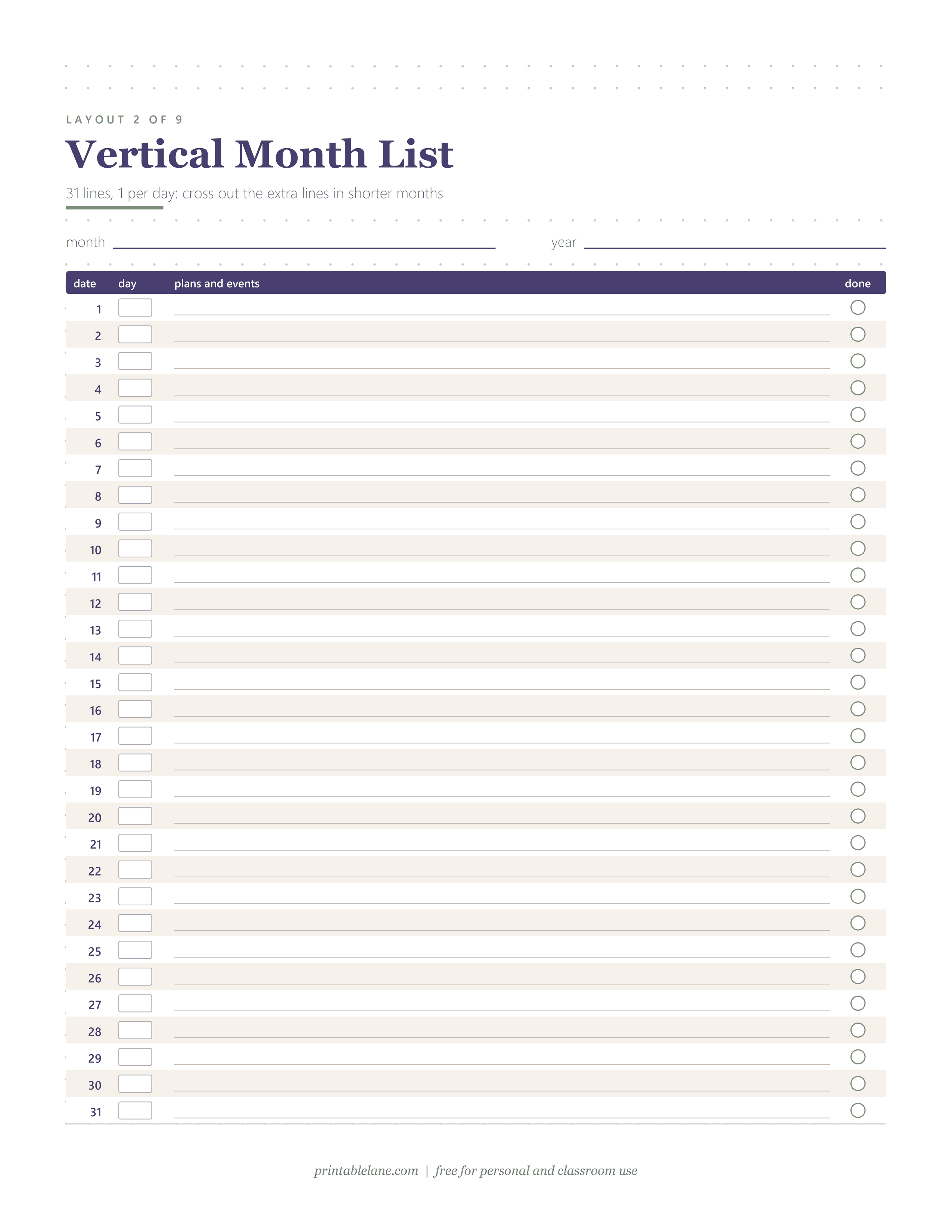
PDF page 3 lists the days 1 to 31 down the page under the headings date, day, plans and events, and done. Each row has a weekday box, a writing line and a done circle.
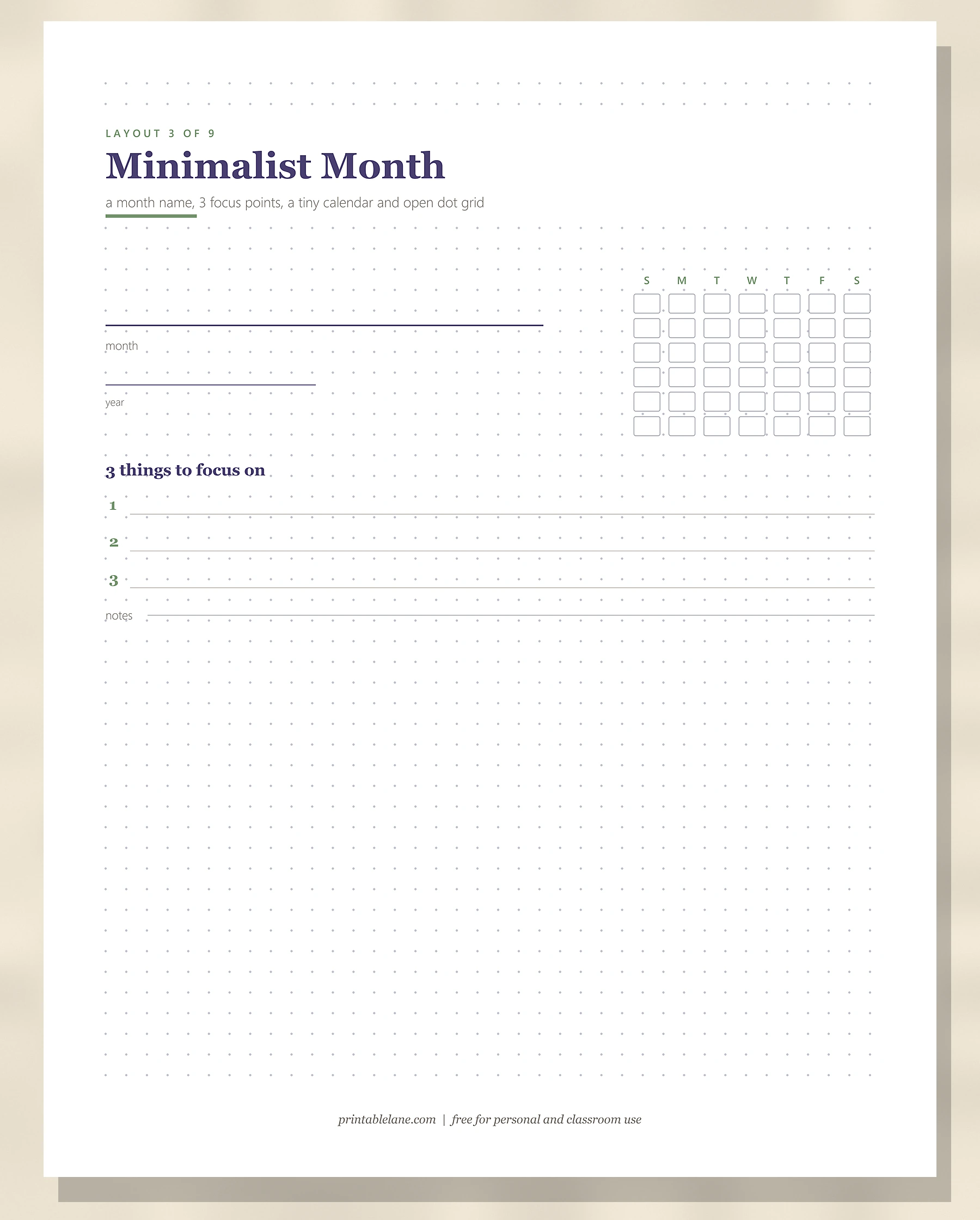
Minimalist Month
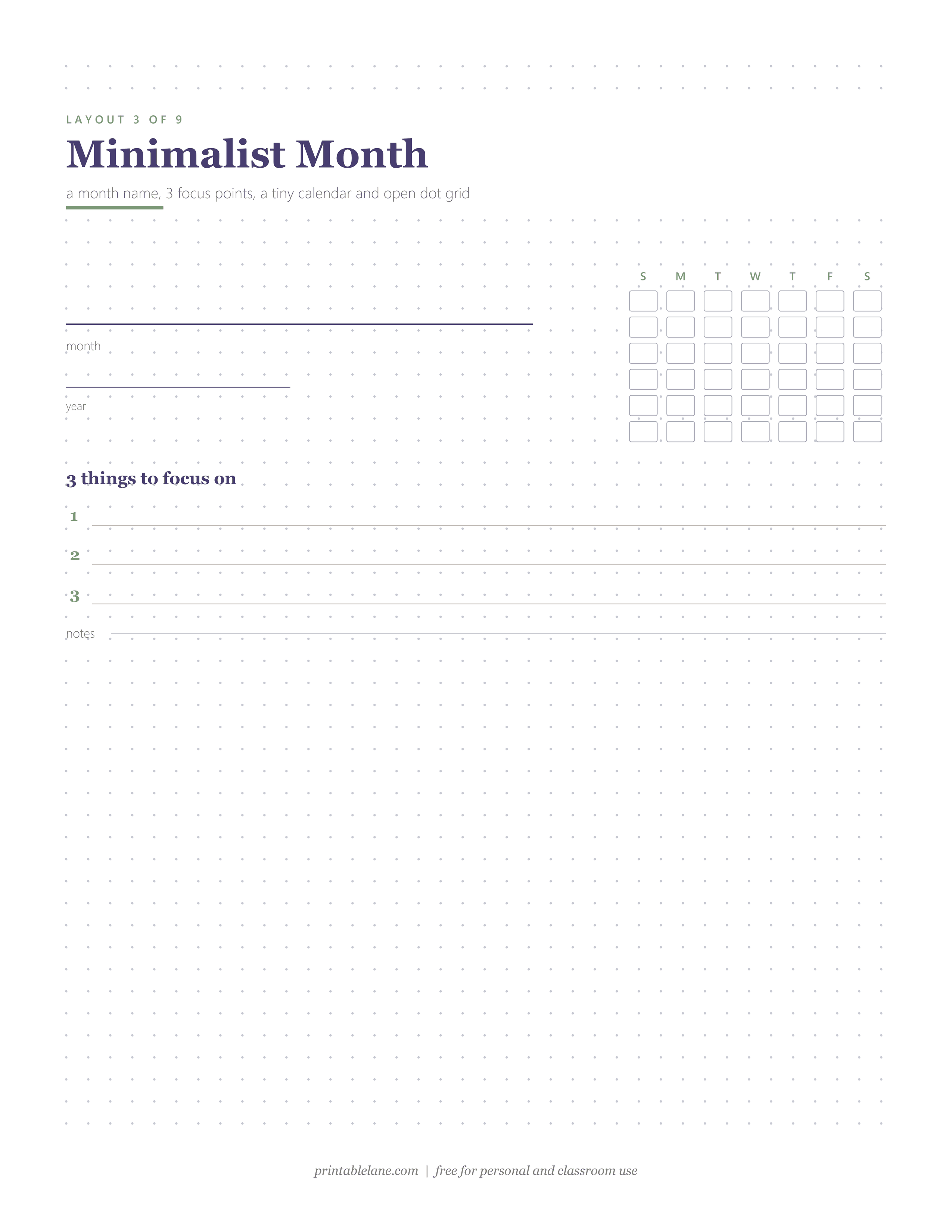
PDF page 4 has a long month line, a year line, a tiny S to S calendar of 42 small boxes in the top right corner, “3 things to focus on” with numbered lines 1 to 3, and a notes line above an open dot grid that fills the lower half of the page.
Half-Month Columns
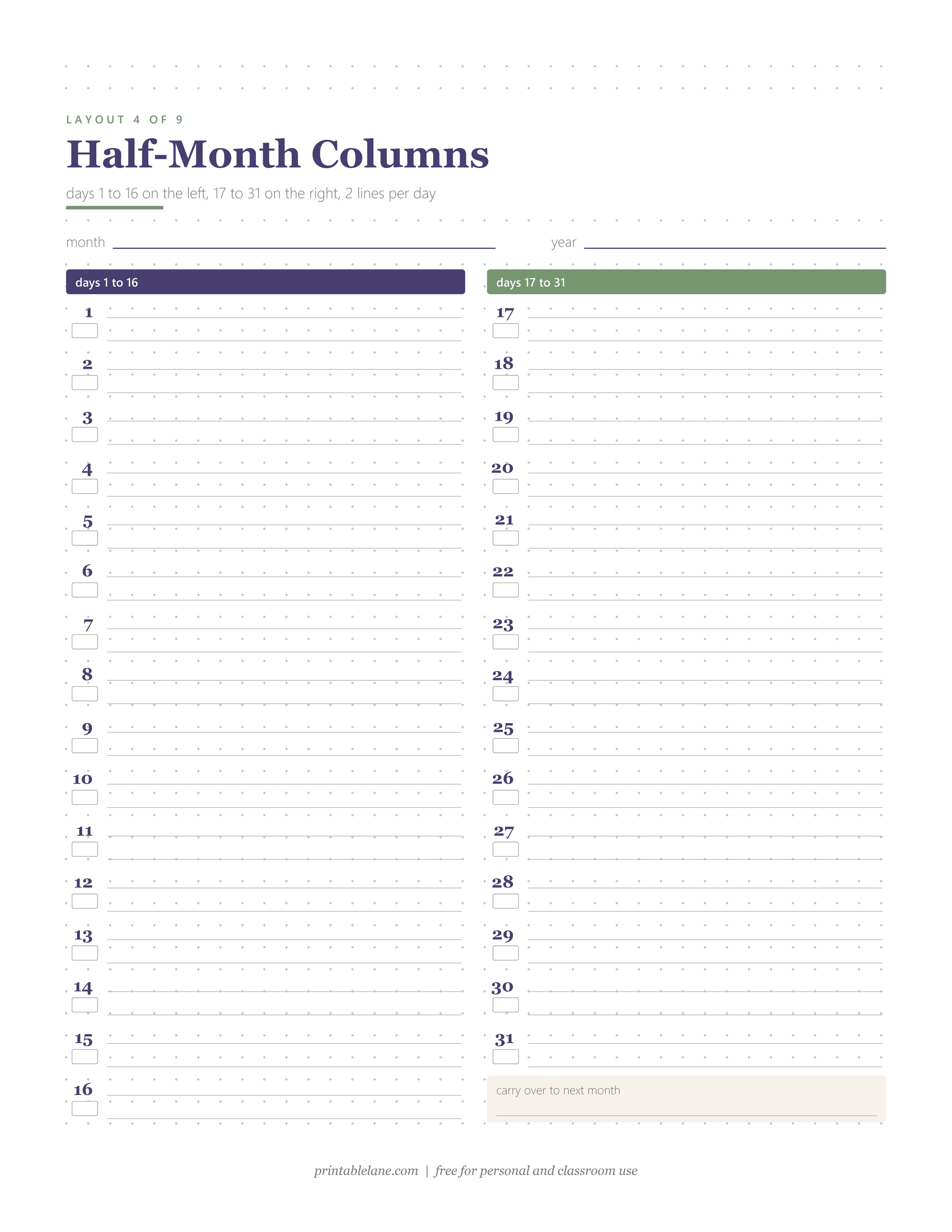
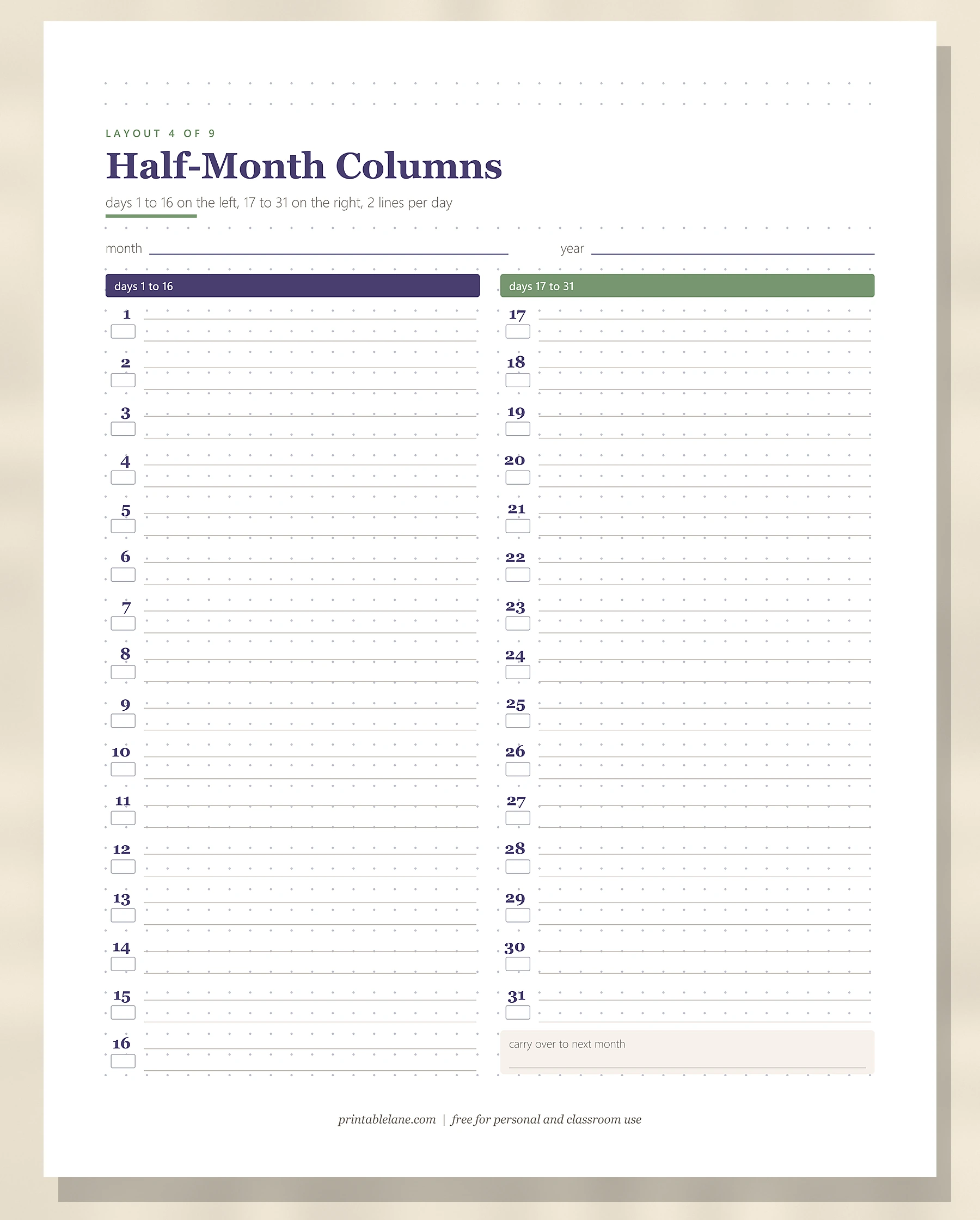
PDF page 5 splits the month into 2 columns, “days 1 to 16” and “days 17 to 31”. Each day gets its number, a small box underneath for the weekday letter and 2 writing lines. The last slot of the right column reads “carry over to next month”.
Calendar with Goals Sidebar
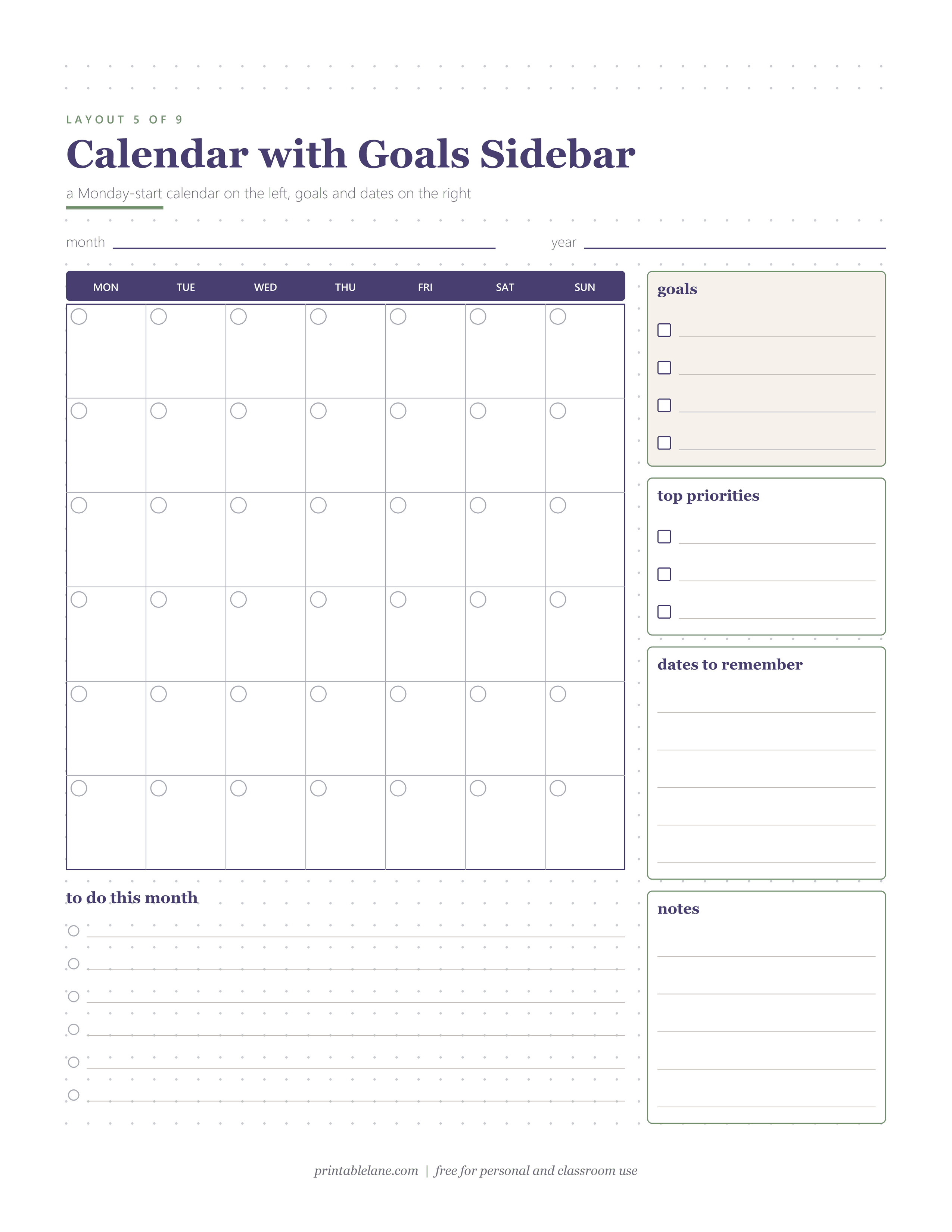
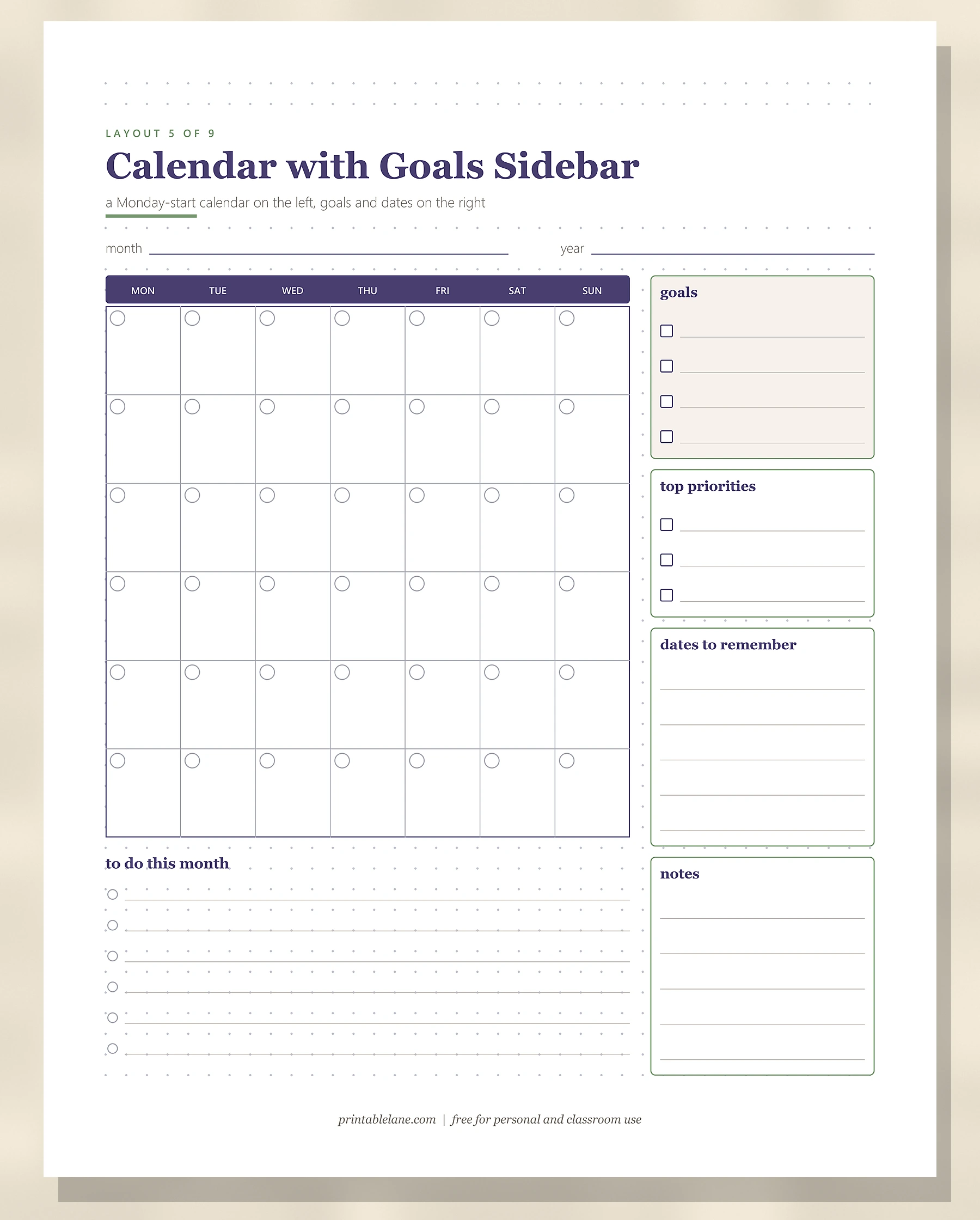
PDF page 6 has a Monday-start calendar (MON to SUN, 42 boxes with date circles) and a “to do this month” list of 6 lines underneath. The sidebar on the right holds 4 boxes: goals with 4 tick boxes, top priorities with 3 tick boxes, dates to remember with 5 lines and notes with 5 lines.
Monthly Habit Grid
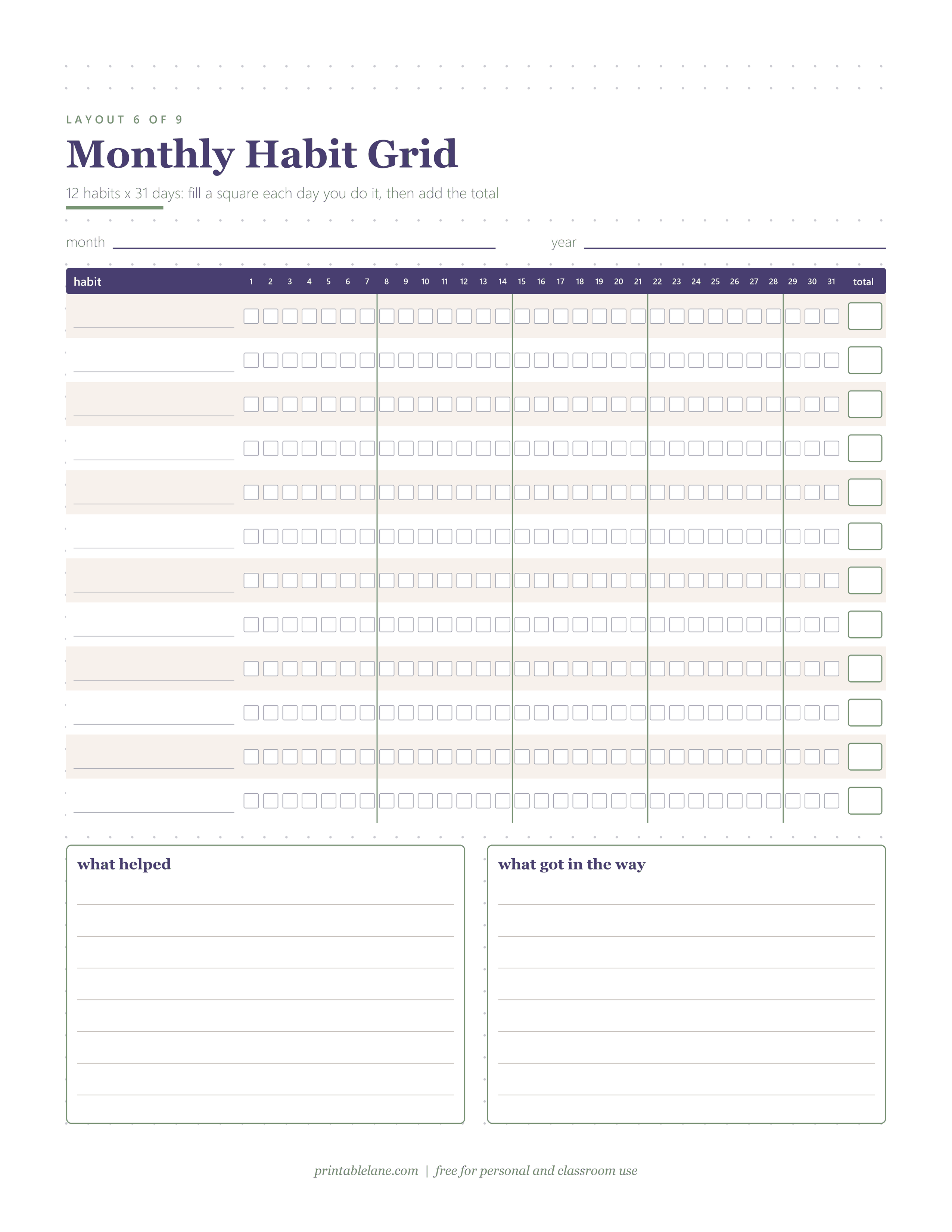
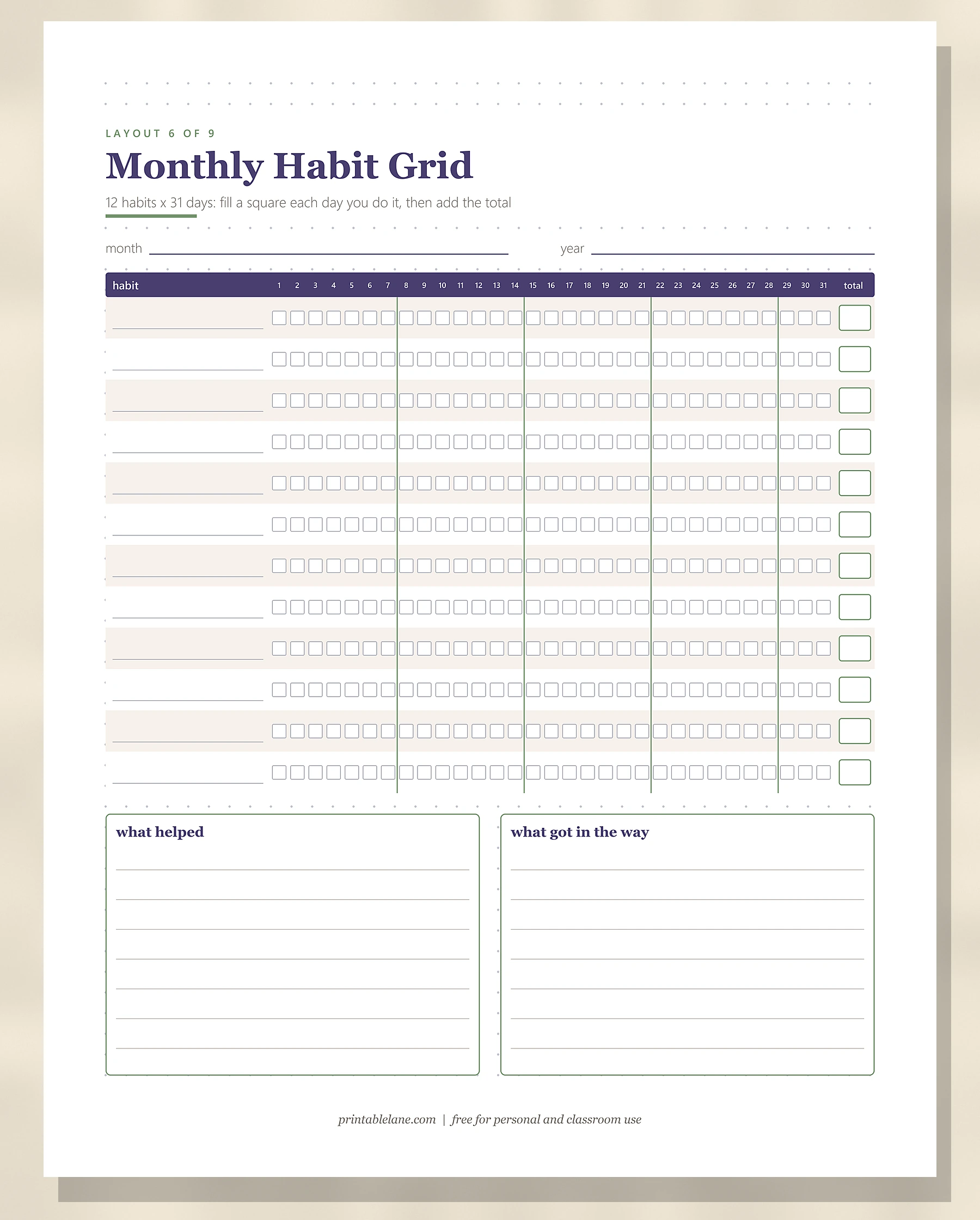
PDF page 7 has 12 rows for habit names and 31 numbered day columns, plus a total box at the end of each row. Thin green lines after days 7, 14, 21 and 28 split the grid into weeks. Under the grid sit 2 boxes, “what helped” and “what got in the way”, with 7 lines each.
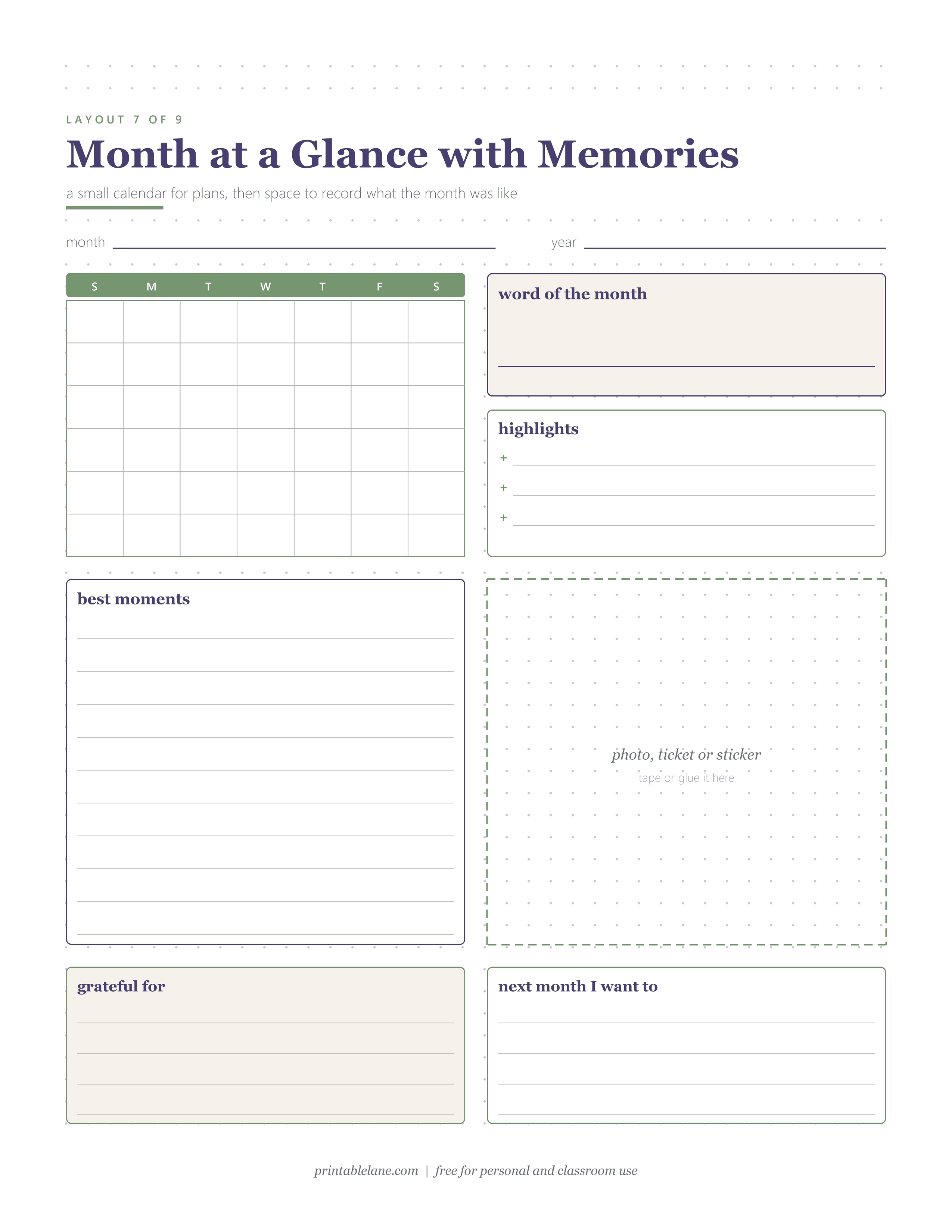
Month at a Glance with Memories
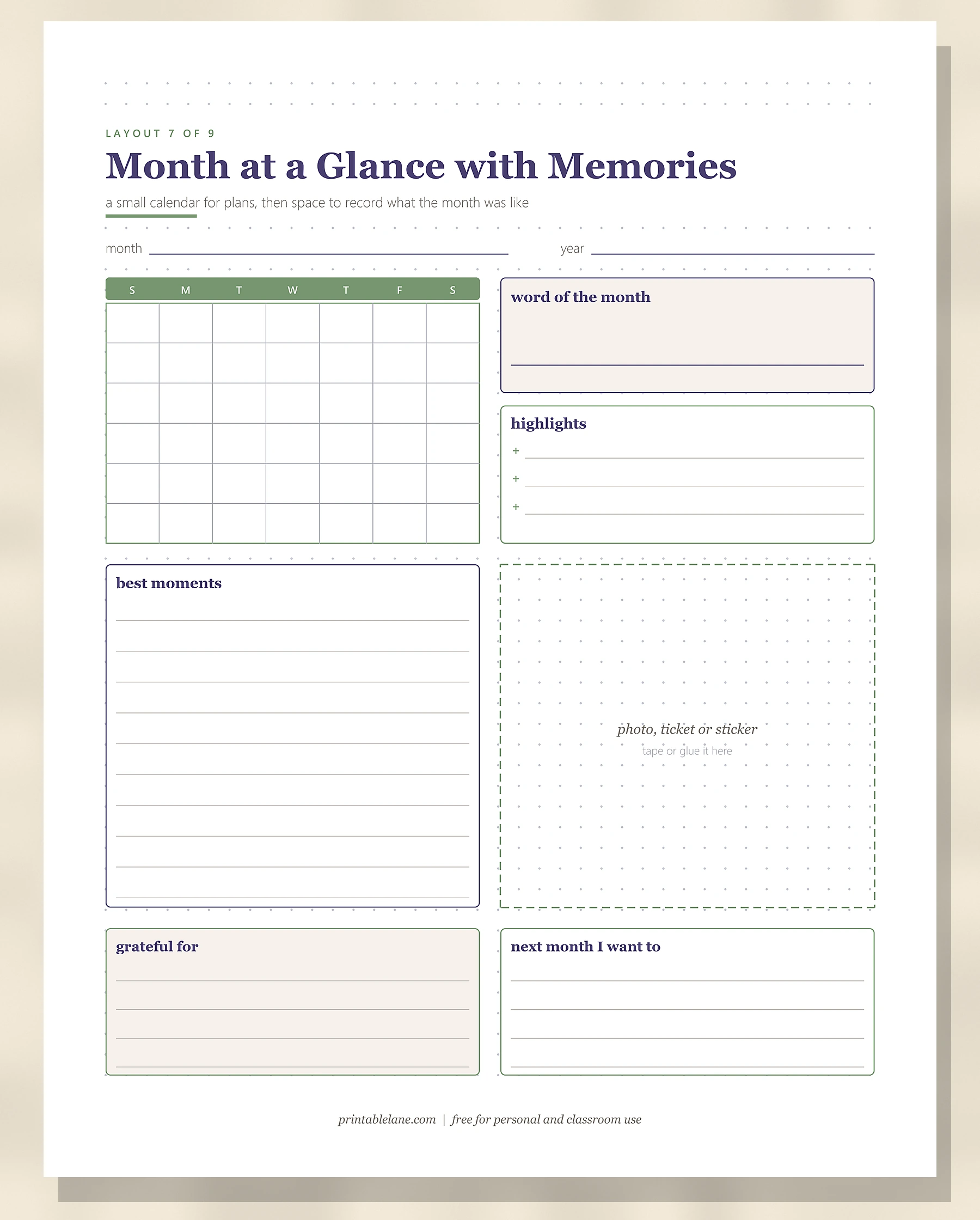
PDF page 8 starts with a small S to S calendar of 42 boxes, a “word of the month” box and a “highlights” box with 3 lines marked with a plus. Below are a “best moments” box with 10 lines, a dashed frame for a “photo, ticket or sticker”, and 2 boxes with 4 lines each: “grateful for” and “next month I want to”.
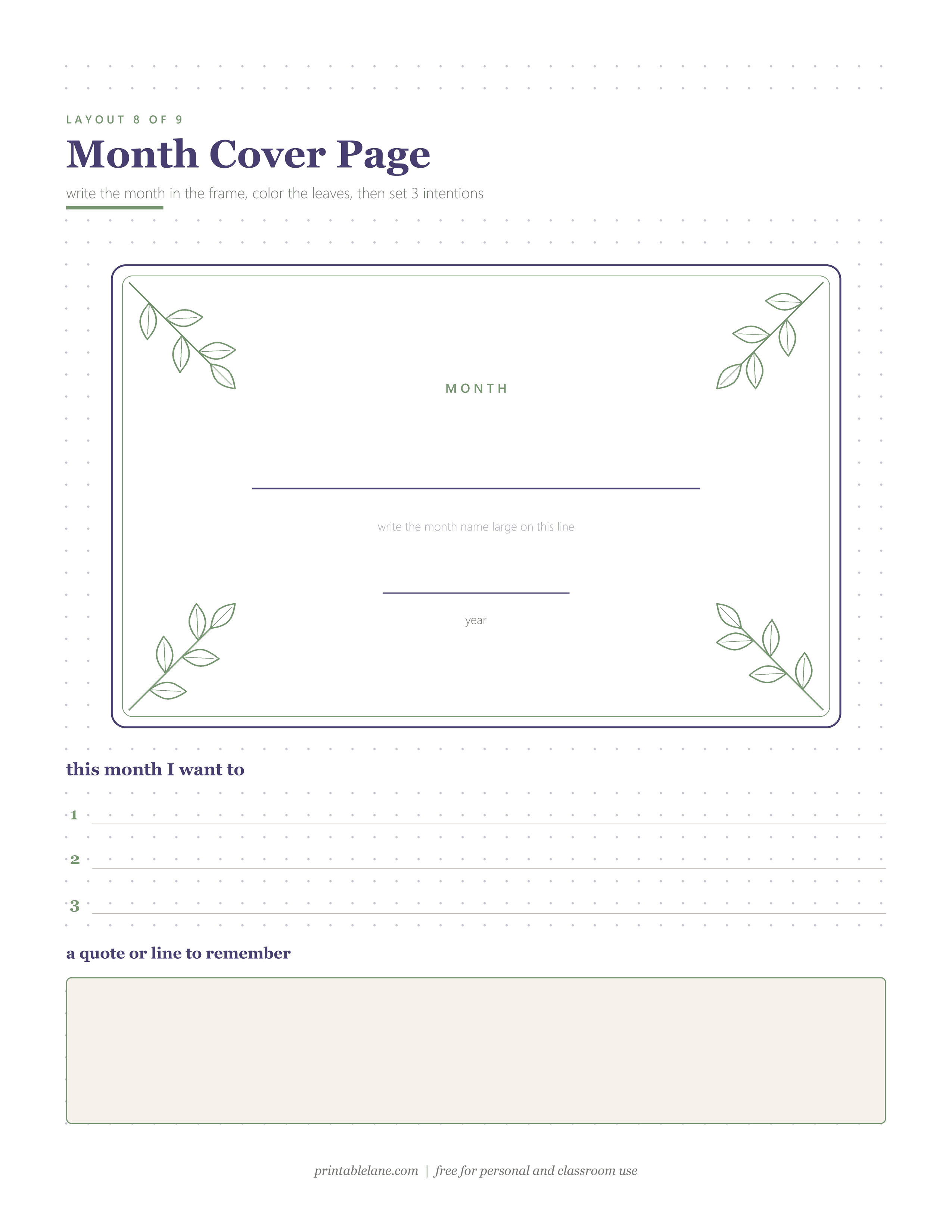
Month Cover Page
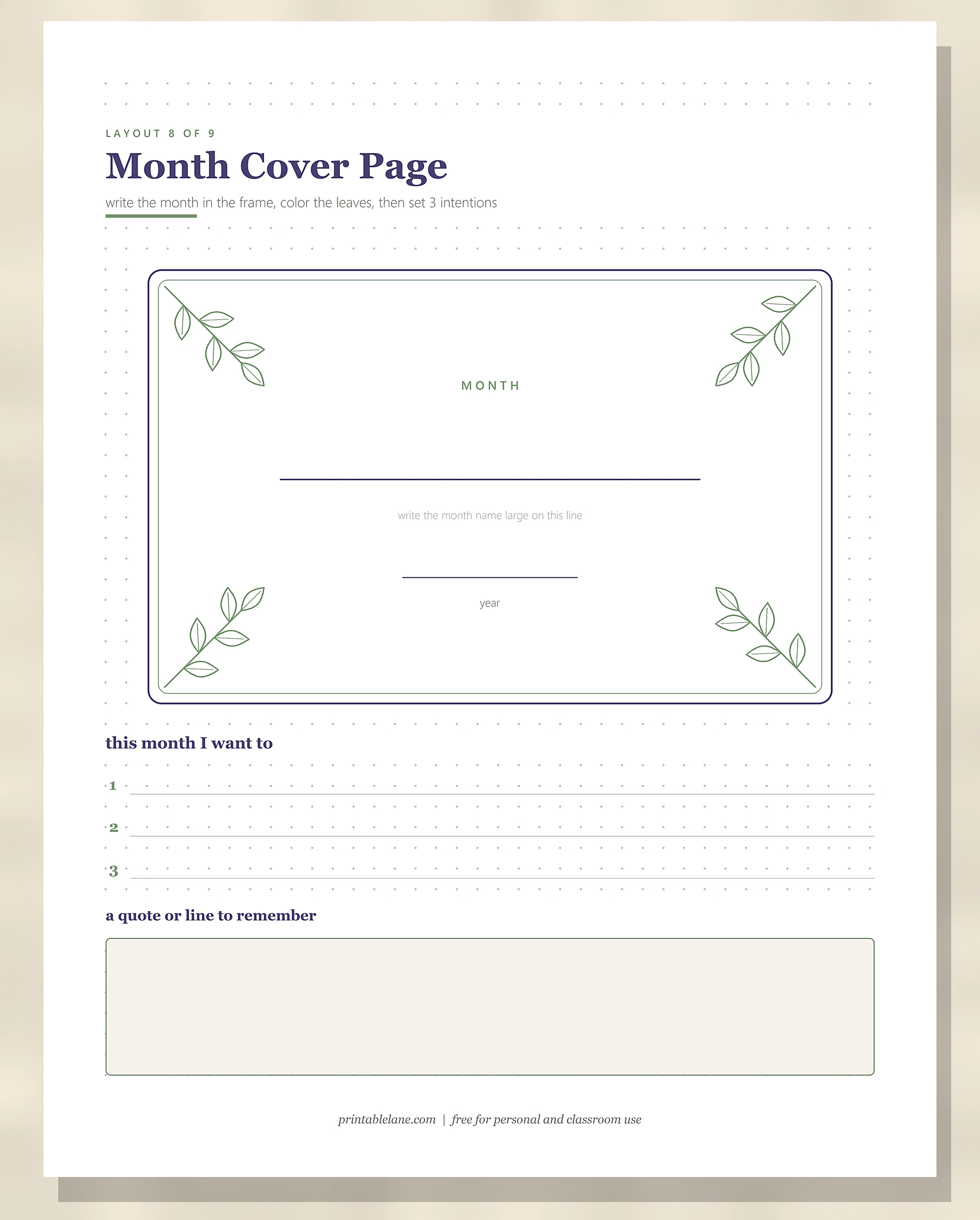
PDF page 9 is a title page: a double frame with an outlined leafy sprig in each of the 4 corners, ready to color, around a month line and a year line. Below are “this month I want to” with 3 numbered lines and a shaded box for “a quote or line to remember”.
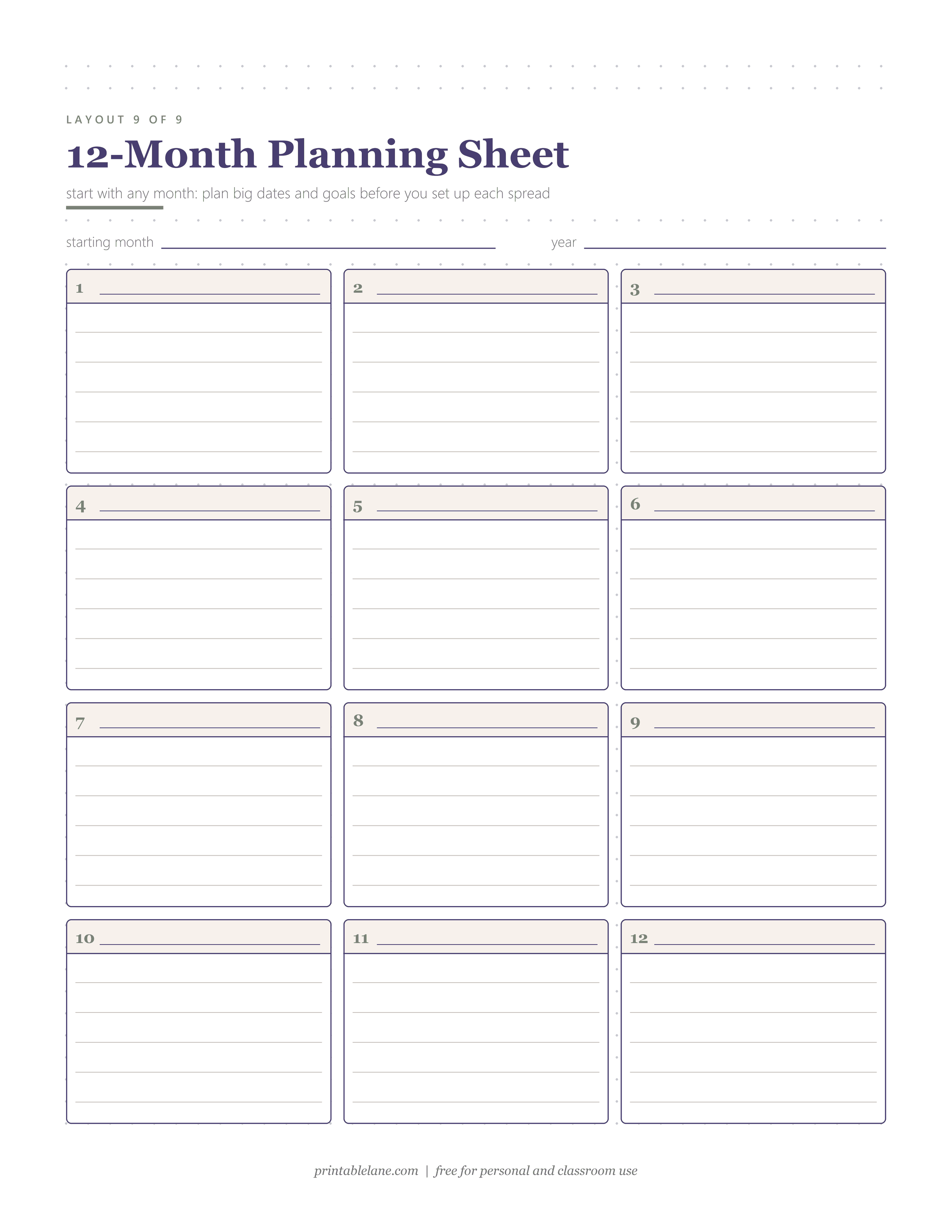
12-Month Planning Sheet
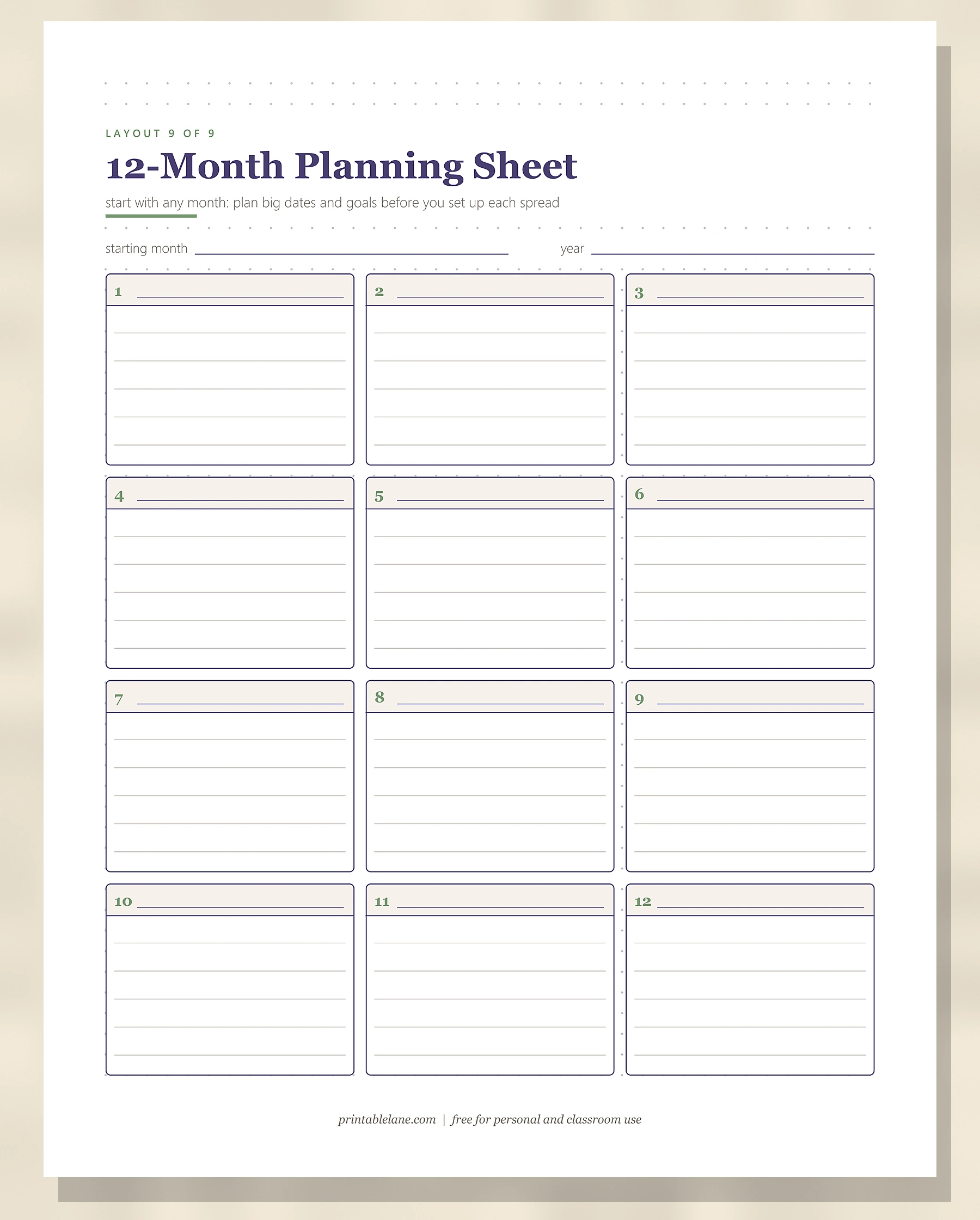
PDF page 10 has “starting month” and year lines and 12 numbered boxes, each with a month name line and 5 lines for big dates, trips and goals.
How to fill in an undated calendar grid without mistakes
Look up the weekday of the 1st on your phone or on a printed calendar such as this 2027 monthly and yearly calendar. On the Classic Calendar Box the columns start on Sunday; on the Calendar with Goals Sidebar they start on Monday. Write 1 in the matching column and count on row by row.
Months have 31, 30 or 28 days (29 in a leap year; 2028 is the next one). A 31-day month needs a sixth row whenever the 1st lands in the last 2 columns of the grid, which is why both grids on these pages have 6 rows. In 2027, January, May and October need all 6 rows in a Sunday-start grid, while May and August need them in a Monday-start grid. February 2026 starts on a Sunday and fills exactly 4 rows in a Sunday-start grid, so you get 2 empty rows that can hold notes.
Combining spreads into a 2-page month
In a binder, 2 pages side by side make a full spread. Pairs that work well:
- Month Cover Page + Classic Calendar Box: the cover on the left, the working calendar on the right.
- Calendar with Goals Sidebar + Monthly Habit Grid: plans and routines in 1 view.
- Half-Month Columns + Month at a Glance with Memories: daily notes during the month and a look back at the end.
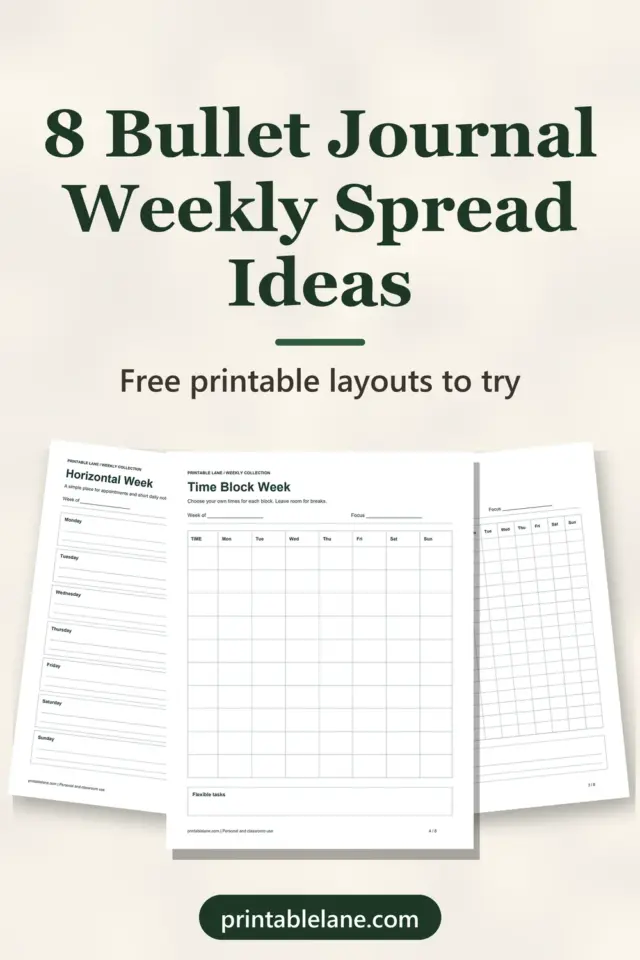
For the weeks inside each month, browse these weekly spread ideas. If you track feelings as well as habits, add a page from the mood tracker ideas, or print a stand-alone habit tracker when 12 rows are not enough. For dated, seasonal versions, see the January setup ideas.
Printing tips
- US Letter: print at 100% (Actual size).
- A4: 100% or Fit to page both work; the margins are wide enough that nothing is cut off.
- Paper: 24 lb (90 gsm) paper keeps gel pen and fineliner from showing through; use 65 lb cardstock for the Month Cover Page if you color it with markers.
- Binder: punch the pages and print a fresh set each month, or print the 12-Month Planning Sheet once a year.
Download single pages
Only use 1 or 2 of these layouts every month? Grab just those pages here and reprint them as often as you need.
- Classic Calendar Box (PNG)
- Vertical Month List (PNG)
- Minimalist Month (PNG)
- Half-Month Columns (PNG)
- Calendar with Goals Sidebar (PNG)
- Monthly Habit Grid (PNG)
- Month at a Glance with Memories (PNG)
- Month Cover Page (PNG)
- 12-Month Planning Sheet (PNG)
Frequently asked questions
How many pages are in the PDF?
10 pages: the cover with thumbnails on page 1, then the 9 monthly layouts on pages 2 to 10, from the Classic Calendar Box to the 12-Month Planning Sheet.
Can I print the monthly spreads on A4 paper?
Yes. Select 100% or Fit to page; the dot spacing changes by only about 3% with Fit to page, which does not affect writing in the boxes.
Are the pages dated?
No. Every layout has blank month and year lines, and the day numbers on the list layouts run from 1 to 31, so the same pages fit any month and any year.
What do I do with day 31 in a shorter month?
Draw a line through the rows you do not need before you start. On the Vertical Month List that is row 31 for 30-day months and rows 29 to 31 for a 28-day February.
Can I use these layouts in my own notebook?
Yes. Copy the structure with a pencil and ruler on 5 mm dot grid paper; the printed pages use the same dot spacing, so you can count the dots to match the box sizes.